- by foxnews
- 18 Mar 2026
Delete the fake VPN app stealing Android users' money
Cleafy researchers discover fake VPN streaming app Mobdro Pro that installs Klopatra banking Trojan, giving attackers full control over Android devices.
- by foxnews
- 24 Oct 2025
- in technology
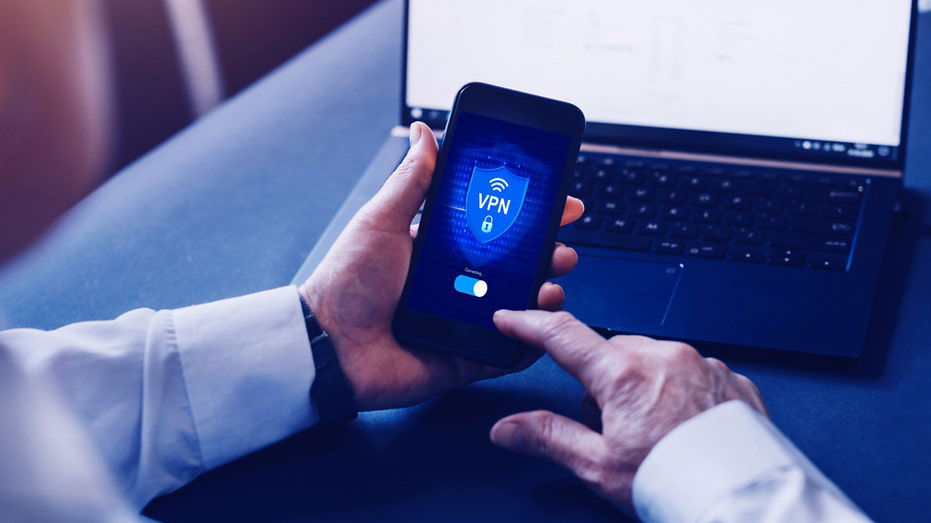
One of the newest threats comes in the form of malicious apps that appear legitimate but can take full control of your device. Security researchers are now warning Android users to delete a fake VPN and streaming app that can allow criminals to take over your phone and drain your bank account.
Sign up for my FREE CyberGuy ReportGet my best tech tips, urgent security alerts and exclusive deals delivered straight to your inbox. Plus, you'll get instant access to my Ultimate Scam Survival Guide - free when you join my CYBERGUY.COM newsletter.
The infection chain is carefully planned. It starts with social engineering, tricking you into downloading and installing the app from outside the official Play Store. From there, Klopatra bypasses Android's built-in protections and reaches deep into the system to gain persistence and control.
VPNs are widely promoted as privacy tools that hide your IP address and encrypt internet traffic. Millions rely on them to bypass geographic restrictions, protect sensitive communications or simply browse more securely. Yet not all VPNs are trustworthy. Various studies have proved that popular commercial VPNs have alarming shortcomings. Some use protocols that are not designed to protect privacy, obscure ownership or fail to encrypt traffic properly.
When fake apps like Mobdro are combined with these weaknesses, users are left exposed. Criminals exploit both the popularity of VPNs and the prevalence of pirated streaming services to distribute malware effectively. This growing ecosystem of risky apps underscores how important it is to research, verify and only download software from reputable sources.
If you suspect that you've downloaded a fake app from the internet, there's no need to panic. The steps below will help you stay protected and keep your data safe.
Only download VPNs, streaming services and apps from Google Play, Apple App Store or the official developer's website. Avoid links in forums, social media messages or emails promising free content.
Carefully review what access an app requests. If it asks for control over your device, settings or accessibility services unnecessarily, do not install it. Legitimate VPNs rarely require full device control.
When choosing a VPN, opt for one with strong privacy policies, transparent ownership and robust encryption. A secure VPN ensures your connection remains private without giving attackers a foothold.
For the best VPN software, see my expert review of the best VPNs for browsing the web privately on your Windows, Mac, Android & iOS devices at Cyberguy.com
A strong antivirus on your device can detect malware and suspicious behavior before damage occurs. These services can scan new downloads and provide ongoing protection.
The best way to safeguard yourself from malicious links that install malware, potentially accessing your private information, is to have strong antivirus software installed on all your devices. This protection can also alert you to phishing emails and ransomware scams, keeping your personal information and digital assets safe.
Get my picks for the best 2025 antivirus protection winners for your Windows, Mac, Android & iOS devices at Cyberguy.com
Banking Trojans target sensitive credentials. Identity monitoring services can alert you if your personal information appears online or is being misused, helping you respond before harm is done. Identity Theft companies can monitor personal information like your Social Security number (SSN), phone number and email address, and alert you if it is being sold on the dark web or being used to open an account. They can also assist you in freezing your bank and credit card accounts to prevent further unauthorized use by criminals.
See my tips and best picks on how to protect yourself from identity theft at Cyberguy.com
If you discover a suspicious app on your Android device, remove it right away.
Settings may vary depending on your Android phone's manufacturer.
Regular system updates patch security vulnerabilities that malware like Klopatra exploits. Combined with antivirus protection, this significantly reduces the chance of infection.
Once your device is secure, update your login credentials.
This step helps protect your accounts if hackers steal your credentials.
Finally, take steps to protect others and report the threat.
Fake VPNs and streaming apps exploit your trust and the gaps in app verification processes, showing that even tech-savvy individuals can fall victim. While official stores offer a layer of protection, you must remain vigilant, check permissions and rely on reputable security tools. Never download anything from the random links you see on the internet.
Do you think Google is doing enough to prevent malware from entering the Android OS? Let us know by writing to us at Cyberguy.com
Sign up for my FREE CyberGuy ReportGet my best tech tips, urgent security alerts, and exclusive deals delivered straight to your inbox. Plus, you'll get instant access to my Ultimate Scam Survival Guide - free when you join my CYBERGUY.COM newsletter.
Copyright 2025 CyberGuy.com. All rights reserved.
you may also like


- by foxnews
- 18 Mar 2026
Robot firefighters enter burning buildings first
- by foxnews
- 17 Mar 2026
How debit card fraud can happen without using the card




travel
- by foxnews
- descember 09, 2016
Temple from time of Christ reveals powerful society lost to history, archaeologists say
Archaeologists uncovered a 2,000-year-old temple in Denmark at Hedegård, revealing insights into a mysterious Iron Age power center with luxury goods and Roman connections.
read more