- by foxnews
- 11 Sep 2026
The trick to smoother streaming at home and on the road
Your internet provider may be throttling your streaming traffic. A VPN encrypts your data so your ISP can't target video and cause buffering.
- by foxnews
- 07 Jul 2026
- in technology
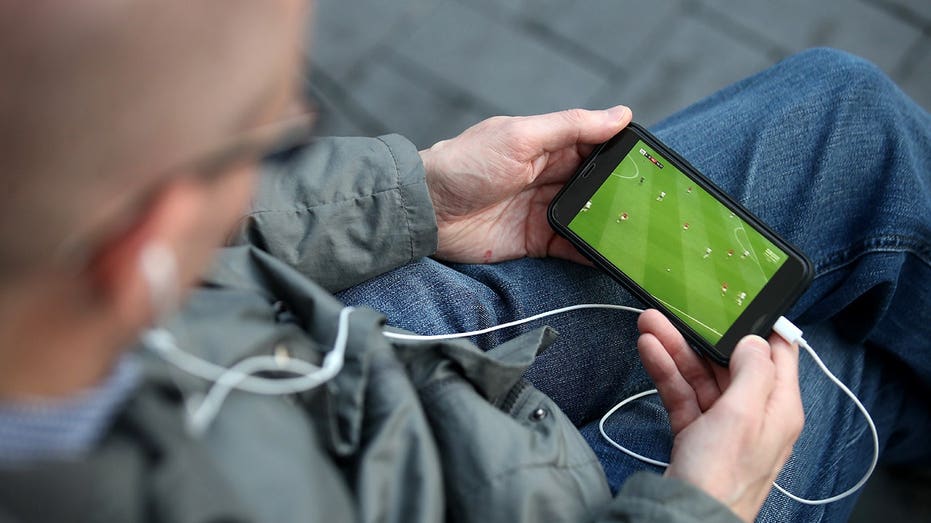
Ever settle in for movie night, hit play, and thirty seconds later, the picture dissolves into a blurry mess of pixels? You restart the app. You restart the router. You're paying for a fast internet plan, so what gives?
Before you spend forty minutes on hold with your provider, there's something you should know: the problem might not be your connection speed at all. It m
ight be your internet provider putting the brakes on certain types of traffic.
The good news is that one tool may help, especially when your provider is slowing down streaming traffic that it can recognize.
Sign up for my FREE CyberGuy Report
Here's the part that most people don't realize: your ISP can often see what kind of traffic you're sending and receiving. When they detect a steady stream of traffic flowing from a streaming platform, they may put a speed limit on that traffic specifically, even while your overall connection seems fine. You won't always get a warning, but you will notice a dip in video quality.
That's why you can load a webpage in a blink but still have to sit through buffer wheels before your show even gets going. The issue may not be your speed. It may be what your ISP does with it once they know how you're using it.
When you connect to the internet through a VPN, your traffic gets encrypted before it leaves your device. Your ISP can still see that you're using data, but it can no longer easily see what kind. Streaming traffic looks like encrypted data passing through, which means there's no obvious streaming target to throttle. The result can be a more consistent connection, fewer interruptions and less of that infuriating mid-episode quality drop.
Just keep in mind that some streaming services may limit or block VPN connections, so you may need to switch servers or check the service's rules.
There's no shortage of VPN options out there, but for streaming, a few things matter more than others.
Device support matters too. Your streaming life doesn't live on just one screen. It's also on your phone, your smart TV, your tablet and your laptop. A good VPN covers all of them under one subscription and will let you run it on multiple devices simultaneously.
Our top VPN pick checks all these boxes and is more than fast enough for high-quality streaming.
For the best VPN software, see my expert review of the best VPNs for browsing the web privately on your Windows, Mac, Android & iOS devices at Cyberguy.com
Before blaming throttling, test your speed with the VPN on and off, restart your router, move closer to Wi-Fi, use a 5 GHz or 6 GHz network when available and try Ethernet for your main TV. If everything else is fast but streaming keeps dropping quality, throttling becomes a more likely suspect. Pair a VPN with these tips, and buffering becomes a rare event instead of a nightly battle.
Turn on your VPN first, then launch your streaming service. It'll save you the hassle of reconnecting in the middle of the episode.
In general, the closer the server, the lower the lag. A server in your home city usually delivers the best balance of speed and stability.
If streaming still struggles with a VPN running, an outdated router might be your weakest link. A dual-band or Wi-Fi 6 model makes a noticeable difference on busy home networks. Looking to upgrade your home setup? Check out our guide to the Top 5 routers for best security in 2026 at Cyberguy.com
Most major streaming apps let you save content for offline playback. Load up a few episodes on your home connection before a long trip, and you might not need to stream at all for the first leg of your journey.
Buffering isn't something you have to accept, and your internet plan may not be the issue. Your provider could be managing your traffic when it recognizes what you're watching. A reliable VPN can make it that much harder, whether you're on your couch or in a hotel room across the country. Remember: the trick to smoother streaming isn't always paying for faster speed. It's making sure the speed you're already paying for actually reaches your device.
Are you using a VPN for streaming, or have you found another workaround that does the job? Let us know by writing to us at Cyberguy.com
Sign up for my FREE CyberGuy Report
Copyright 2026 CyberGuy.com. All rights reserved.
you may also like


- by foxnews
- 11 Sep 2026
Amazon's Alexa for Shopping can now verify suspicious messages

- by foxnews
- 11 Sep 2026
Floating solar panels could save cities millions. Is your town next?




travel
- by foxnews
- descember 09, 2016
Lost city where Jesus performed miracles has finally been identified, expert says
Bethsaida, the home of Apostle Peter and the setting of Jesus Christ's miracles, may finally be identified after a decade of archaeology work at El-Araj.
read more